Short answers to the questions we hear most. If yours isn't here, use the form at the bottom.
ForeDrive runs in your browser, so there's nothing to download from a store yet. To get an icon like any other app:
Once installed it opens full screen and keeps your favorites and settings.
A city and state is best: Grand Junction, CO. Street addresses aren't needed, because the forecast is the same across a town. Pick the town from the list that appears. "Starting from" fills in with your location; tap Change to start somewhere else, or to add a stop, open More options.
After you tap Next, choose one: Leave now, Later today, Tomorrow morning, Tomorrow afternoon, or Pick a day and time for anything else. Times are in the local time zone of your starting point. If you have an appointment at the far end, open More options on the first screen and switch to arriving by a time.
Yes. Open More options on the first screen, tap Add a stop, enter the town, and choose how long you'll stay, from a quick break to overnight. The forecast for the rest of the trip shifts to match.
Yes. ForeDrive opens in dark mode. Tap Settings (at the bottom of the first screen, or beside the map on a briefing) and choose Dark, Light, or Auto, which follows your phone's own setting. The same screen has three text sizes: Normal, Large and Largest.
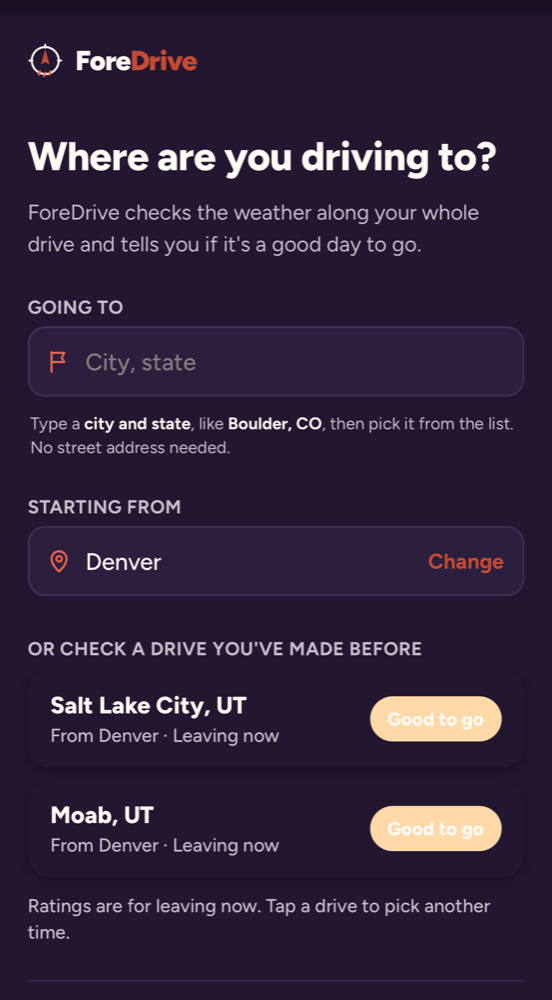
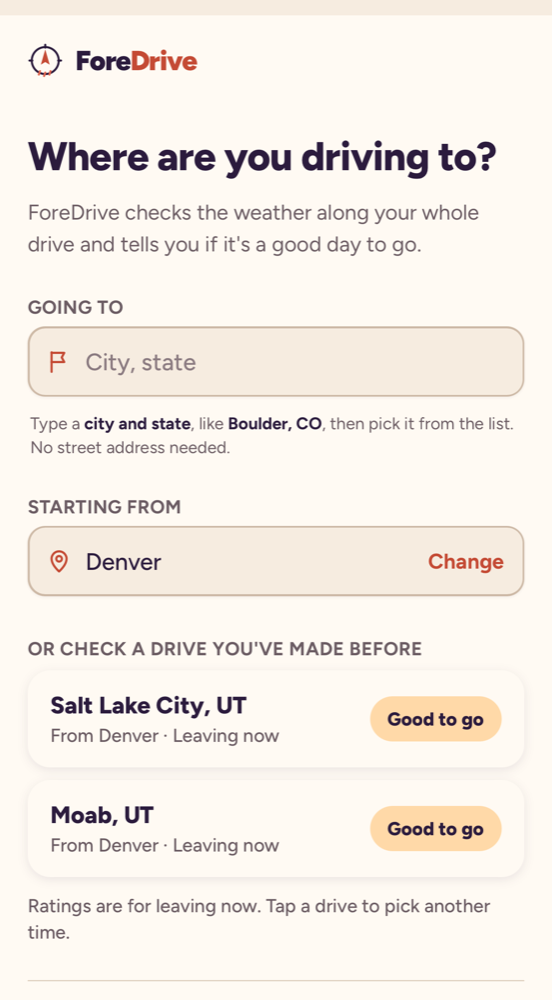
One question, "Where are you driving to?", with your starting point filled in and any drives you've checked before listed underneath, already rated for leaving now.
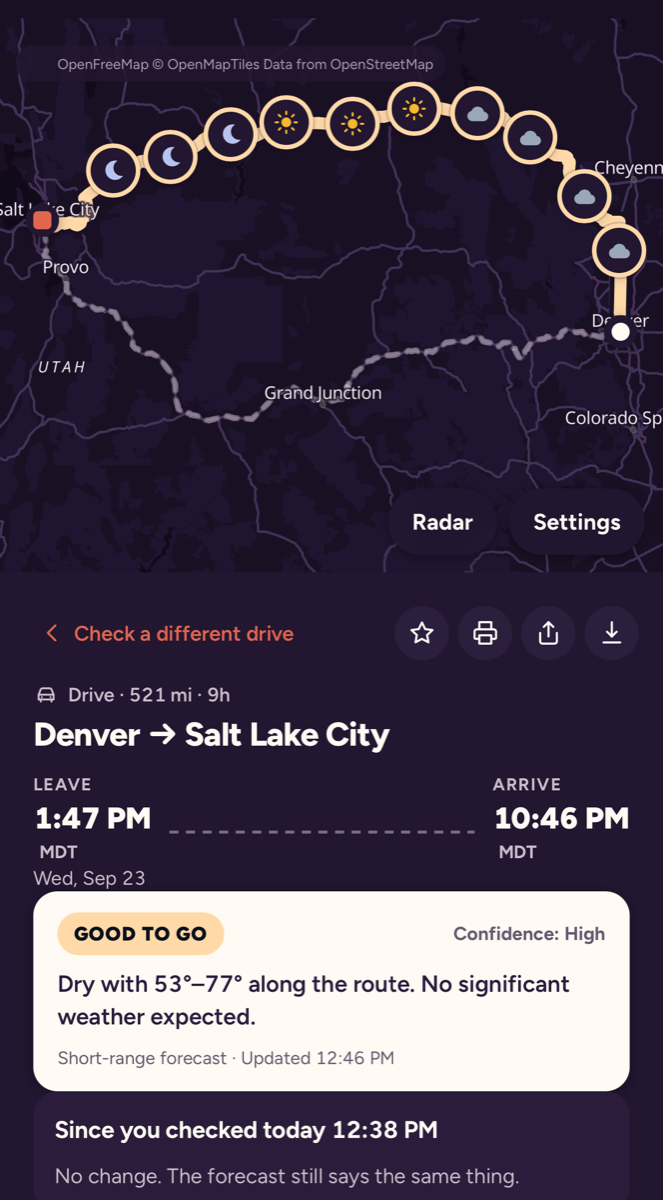
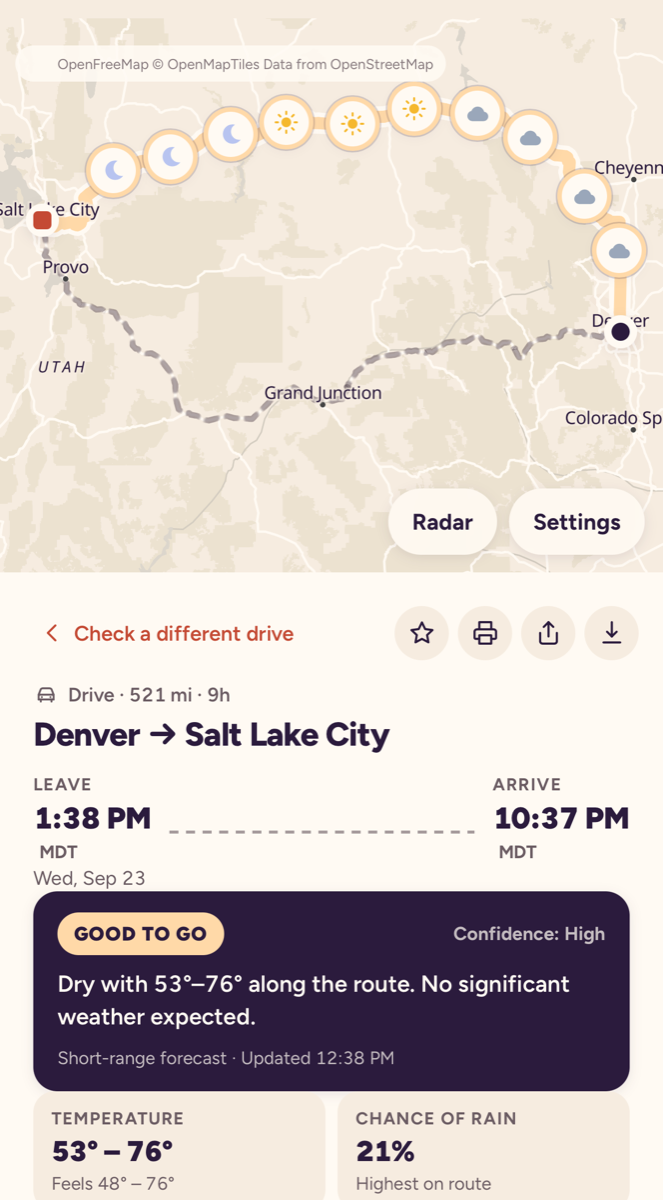
The trip's overall rating is its worst moment. The checkpoint list shows where and when that moment is.
Every time in the briefing is shown in the time zone of the place you'll be at that moment, with the zone name next to it (MDT, PDT). A trip from Denver to Las Vegas arrives in Pacific time, and the app says so.
Up to 14 days. Forecast confidence drops after about five days, and the briefing says so in its confidence label. For trips a week or more out, check again a day or two before you leave.
A calendar of departure times, morning to evening, across the days around your plan. Each square is colored by the conditions you'd meet if you left then. Tap a square to re-plan around it. Free shows three days either side; Plus shows a full week.
When more than one sensible road exists, ForeDrive forecasts each and compares them: worst rating, minutes in poor weather, and travel time. Tap a route to switch the whole briefing to it. The hand-off links then send that exact route to Google or Apple Maps. This is a Plus feature, open to everyone during testing.
With Plus, yes. Travel times come from typical traffic for the hour you'll be on each stretch of road, and the briefing lists the slow spots with how many minutes they add. The "Best time to leave" calendar compares weather only; tap a square and the arrival time updates with that hour's traffic.
With Plus, plan a trip that leaves later and tap Set reminder. Choose one hour, three hours or the evening before. At that time your phone gets a notification with a fresh briefing for the trip, and, if you leave the box ticked, another one if the overall rating changes before you leave. Tap the notification to open the full briefing.
On iPhone, notifications only work when ForeDrive is on your Home Screen (see the first question). On Android and desktop they work in the browser. You'll be asked once to allow notifications.
ForeDrive uses the same public forecast models the weather services use (through Open-Meteo), sampled at every checkpoint for the hour you'll be there. It is a planning aid. Always follow official warnings, road closures and the conditions you see.
Open ForeDrive Fleet, tap Share board, name your team and tap Create a team. You'll get two links: send the dispatcher link to people who may edit the board, and the driver link to drivers, who see the board but can't change it. Opening a link on a device signs it in; there is no password to remember. If a driver leaves, tap New driver link and the old one stops working.
Every save is checked against the latest board. If a teammate saved first, your device merges your changed trips onto their version and saves again, so nothing is lost. Devices refresh every 20 seconds and whenever you come back to the tab.
Subscriptions bought on an iPhone are managed in the App Store: Settings, your name, Subscriptions. On Android, open Google Play, your profile, Payments and subscriptions. Web subscriptions can be managed from the receipt email or by writing to support@foredrive.app. Cancelling stops future charges and you keep Plus until the end of the period you paid for. Full details are in the terms of service.
Open the app, tap Settings, find ForeDrive Plus, type the code and tap Unlock. It stays unlocked on that device. During testing everything is unlocked anyway, so you only need a code if you've been asked to try the paywall.
Use the form below, or email support@foredrive.app, and tell us the trip (from, to, date) and what you expected. A screenshot helps. We read every message.
Questions, problems, or an idea for the app. Use the form, or email support@foredrive.app. We reply by email.
We only use your address to reply. See our privacy policy.